We all have subscriptions. Apps for music, storage, video streaming, magazines, learning tools, and more—our digital lives are driven by these recurring payments. While app-based subscriptions keep our favorite services just a tap away, they can also multiply fast and complicate our monthly spending.
If you’ve ever wondered how to keep track, cancel, or adjust in-app subscriptions without unwanted surprises, you are not alone. In our experience, managing subscriptions can be simple if we follow the right steps and stay organized. Below, we share what we have learned about taking control of subscriptions so they work for, not against, our goals.
Understanding how app subscriptions work
First, let’s clarify what app subscriptions actually are. When we subscribe to an app, we sign up for ongoing access to features, services, or content. In most cases, we agree to recurring billing—monthly, yearly, or even weekly in rare cases. Our payment method is charged automatically, and unless we cancel, the subscription keeps renewing.
Most app subscriptions are set-and-forget, which is why users easily lose track over time.
- They often come with free trials before your account is charged.
- They can be purchased directly in the app, through an app store, or on a service’s website.
- Each platform handles subscriptions a little differently.
Subscription models bring us flexibility and access, but they need attention. Skipping a reminder to cancel a free trial, for example, can cost more than we expect.
Why should we manage subscriptions?
Managing subscriptions isn’t just about saving money, although that is a big part. Here is why proper management really matters:
- Avoiding accidental renewals: If we forget, subscriptions can renew when we don’t want them.
- Tracking digital spending: It’s easy to underestimate how much all the small payments add up.
- Keeping accounts secure: Old accounts linked to subscriptions can become weak spots if ignored.
- Customizing digital experiences: We can tailor our suite of services to what we really use, and let go of the rest.
Staying informed is the key to changing or cancelling subscriptions with confidence.
Common subscription models and terms
From app store purchases to third-party platforms, subscriptions usually come in these formats:
- Auto-renewing: The most common type; charges repeat automatically.
- One-time (non-renewing): Payment buys access for a set period. The subscription ends unless renewed manually.
- Introductory offers: Free trials or first-month discounts, often followed by full-price renewal.
- Family/group subscriptions: One payment covers multiple users, sometimes with added management features.
Terms like renewal date, grace period, and payment method all come up when we read the fine print. We find it helps to check the specific details for each subscription to avoid unexpected charges or missed features.
Steps for managing app subscriptions
In our experience, a step-by-step approach works best. Here is a workflow that covers everything from basic review to cancellation and renewal.
1. Identify all subscriptions
We start by making a list. This includes everything paid through app stores (like mobile app payments), desktop apps, streaming, and even digital tools. Do not rely on memory alone—scan your last few months of credit card statements to find charges you may have forgotten.
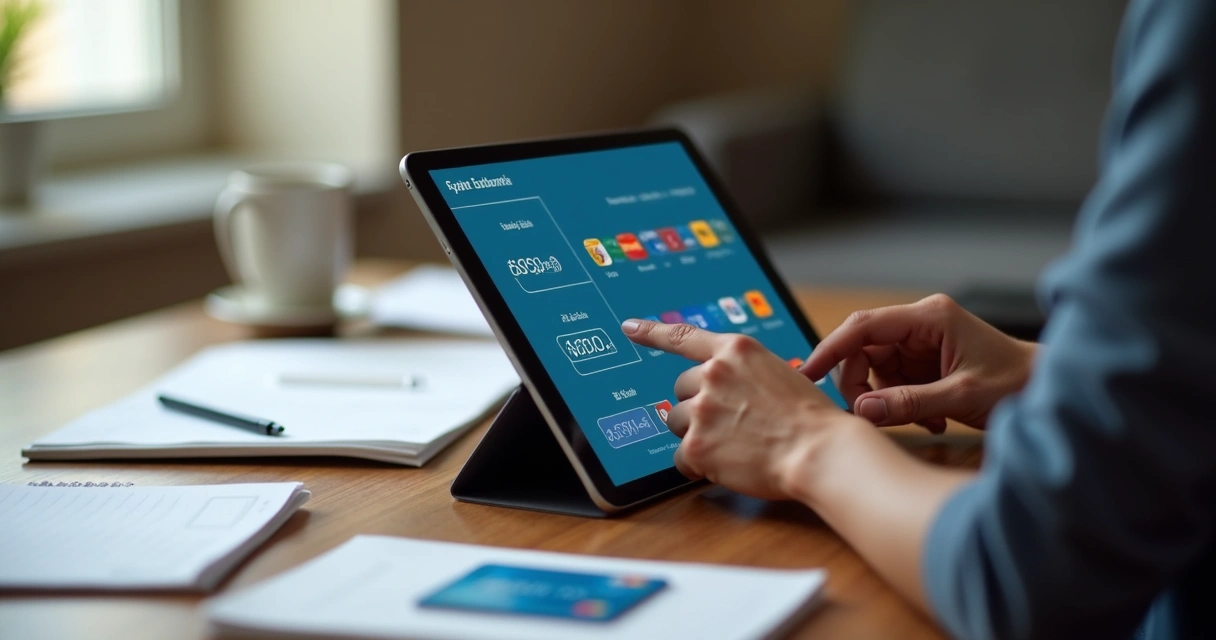
2. Review app store subscriptions
Major mobile platforms let us see all active and expired subscriptions linked to our account:
- On a smartphone or tablet, open your device’s account settings.
- Find the section for ‘Subscriptions’ or ‘Payments & Subscriptions’.
- Check the status, price, and next renewal or expiry date for each listing.
This is a good place to update payment methods or cancel unnecessary subscriptions directly.
3. Track direct and third-party subscriptions
Some app subscriptions are managed outside of app stores. For example, we might subscribe on a service’s website. In these cases, we log into our account on the site and look for ‘Billing’ or ‘Subscription’ settings. If needed, we can usually download receipts or see renewal history.
4. Schedule reminders
From our experience, setting calendar alerts a few days before renewals helps prevent any unwanted charges. We add reminders for trial periods so we can cancel on time if needed without losing access prematurely.
5. Cancel or modify subscriptions
Whether in the app store or on a web dashboard, cancellation steps are usually simple:
- Go to the subscription management or billing area.
- Select the plan you wish to cancel or downgrade.
- Confirm cancellation and check for confirmation emails.
Some subscriptions remain active until the end of the paid period even after cancellation, while others stop access immediately. Reading the confirmation message always helps clarify what happens next.
6. Audit regularly
We recommend doing a quick check every 3-4 months. Many digital habits change over time. An app we loved last winter may no longer be helpful. Removing old subscriptions keeps everything current and our expenses under control.
Tips for smarter subscription management
Being proactive instead of reactive pays off. We picked up these habits over the years to keep things clear and stress-free:
- Name your subscriptions in your budget. Include them when tracking monthly costs.
- Use one or two main payment methods to keep charges visible and simple to review.
- Document trial period end dates. Missing these can turn a free experience into an ongoing fee.
- Search your email regularly for subscription confirmations and renewal notices.
- Download receipts for work-related or tax-deductible tools to avoid headaches later.
- Create folders in your email for all subscription-related communication.
- If you stop using an app, cancel quickly. Delaying often leads to extra payments.
- Check for family or student plans to save money if you share accounts.
- Read cancellation and refund policies before making changes.
Organization turns a list of subscriptions from a problem into comfort and control.

Frequently asked questions about subscription management
Can subscriptions be paused instead of cancelled?
In our research, some services do allow us to pause or suspend billing for a set period. This is often called a “pause” or “hold” option. Paused subscriptions typically keep our account data and settings but prevent charges until reactivated.
Will deleting an app cancel my subscription?
Deleting an app does not cancel its subscription; it must be cancelled through the app store or the app’s own website.
What should I do if a cancelled subscription is still charging me?
If a charge continues after cancellation, we suggest first checking for multiple accounts with similar email addresses, then contacting customer support with the cancellation confirmation as proof. Sometimes, processing delays or missed accounts can explain extra charges.
Can I get a refund after cancelling a subscription?
Refunds depend on the specific service and whether the charge violated terms, like an accidental renewal right after cancellation. It is best to review the refund policy before you contact support so you know what to expect.
How do I spot hidden or forgotten subscriptions?
Reviewing bank or credit card statements is the fastest way to spot forgotten recurring charges.
Keeping an eye out for small, repeated debits can reveal old sign-ups, especially if they are not listed in your app store or main email.
Troubleshooting and handling changes
Sometimes, payments fail or apps update their terms. When this happens, it is best to check for these common issues:
- Payment method expired: Update billing info to restore access.
- Price increases: Read notifications closely for any service you value, and decide if the new rate fits your needs.
- Service changes: If an app drops features you use, this could be a chance to switch or cancel.
Quick action keeps surprises from growing into real problems with recurring charges.
Final thoughts
Subscriptions have changed the digital world in positive ways, but we believe the secret is control. With a few good habits, we can enjoy the best apps without worry. Review your list every few months, use reminders, read the details, and never hesitate to make a change that fits your goals and budget.
Take charge of your digital life—your wallet will thank you.