Taking photos of special moments has become almost second nature in our daily lives. Whether it’s capturing a trip, a night out with friends, an important event, or simply updating social media, everyone loves having beautiful pictures. But let’s be honest: not every photo comes out perfect on the first try. That’s where the magic of editing comes in.
Photo editing is no longer something reserved for professionals—it’s now within reach of anyone with a smartphone. The secret lies in knowing which free apps to use and how to make the most of them. In this tutorial, you’ll learn how to edit photos using only free apps, easily and effectively, achieving results that look professional.
Why is photo editing so important?
A well-edited photo can completely transform an image. Sometimes, all it takes is adjusting the lighting or enhancing the colors to bring a dull picture to life. Other times, creative filters or special effects help you convey a more artistic message.
On social media, a well-edited photo can grab attention, increase engagement, and even open professional opportunities for photographers, influencers, and brands.
Editing doesn’t mean faking reality—it’s about highlighting the beauty that’s already there. Think of it as giving the final polish to a work of art.
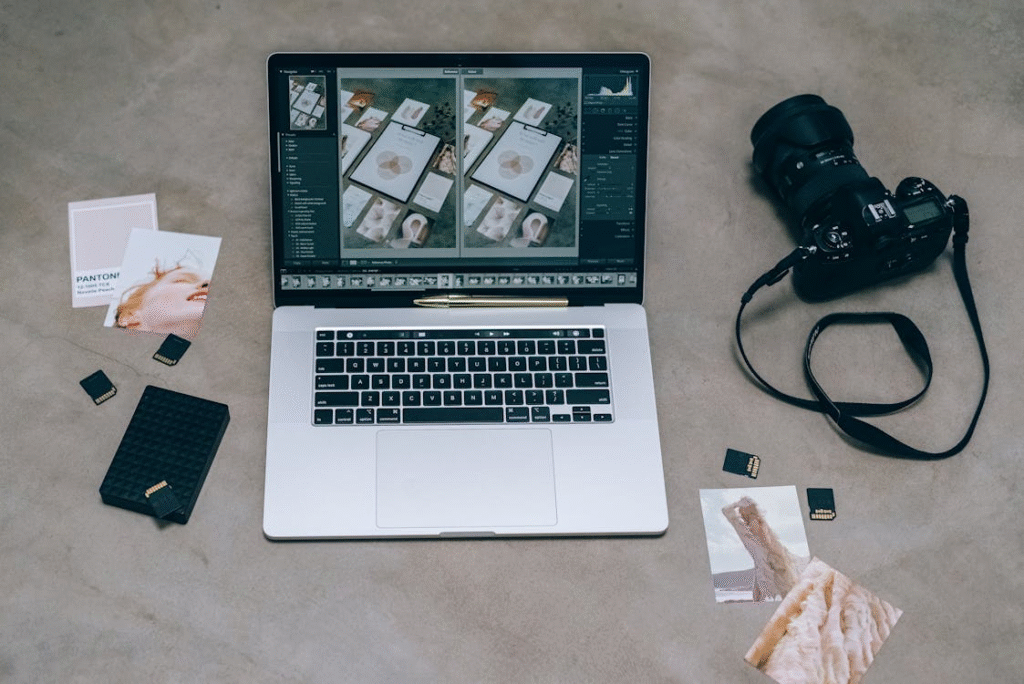
How to choose the right editing app
There are dozens of free photo editing apps available, but not all of them offer the same features. Your choice will depend on what you need:
- Basic corrections: crop, rotate, adjust lighting and color.
- Ready-made filters: transform photos instantly.
- Advanced editing: layers, object removal, and detailed retouching.
- Quick sharing: direct integration with social media platforms.
The best approach is to try out a few apps and see which one fits your style and workflow.
The best free apps for photo editing
Here’s a list of some of the most popular free photo editing apps worldwide that will help you upgrade your images without spending a cent.
Snapseed
Developed by Google, Snapseed is one of the most complete free apps for editing. It offers both basic adjustments and advanced tools, such as:
- Selective color correction.
- Spot healing and blemish removal.
- Professional-quality filters.
- Curves and perspective adjustments.
Its main advantage is balancing simplicity with depth—perfect for quick fixes or detailed edits.
VSCO
Known for its stylish filters, VSCO can make any photo look like it belongs in a magazine. Beyond filters, it offers manual controls to:
- Adjust exposure.
- Fine-tune contrast and saturation.
- Work with highlights and shadows.
It’s especially popular among content creators who want a consistent aesthetic for their Instagram feeds.
Lightroom Mobile
Adobe’s Lightroom Mobile (free version) is another powerhouse app. With it, you can:
- Edit RAW files (used by professional cameras).
- Make precise tone adjustments.
- Create and save custom presets.
Even the free version provides advanced tools that appeal to both beginners and professional photographers.
PicsArt
If creativity is your priority, PicsArt is one of the most versatile apps out there. Beyond editing, it lets you add:
- Artistic filters.
- Stickers and custom text.
- Unique collages.
It’s a favorite for people who want to turn photos into fun and eye-catching content.
Canva
While often seen as a design tool, Canva also has photo editing features, including:
- Basic image adjustments.
- Ready-made filters.
- Text overlays and graphic elements.
It’s widely used to create ready-to-post designs for social media, combining photos with stylish layouts.
Step-by-step guide to editing photos
Now that you know the apps, let’s go through a simple editing process that works for almost any photo.
1. Adjust the framing
Start by cropping the image to highlight the main subject. Use the crop tool to center the subject or apply specific proportions (like 1:1 for Instagram).
2. Fix the lighting
Lighting is everything in photography. Adjust brightness, exposure, and contrast to make your photo pop. Some apps, like Snapseed, even allow selective adjustments for specific areas.
3. Work on the colors
Play with saturation, white balance, and temperature to set the mood. Want a warmer, cozy vibe? Increase the temperature. Prefer something cooler and modern? Dial it down.
4. Apply filters carefully
Filters are fantastic for adding personality, but less is more. The goal is to enhance—not overpower—the photo. A good trick is to apply the filter and then reduce its intensity for a more natural effect.
5. Add finishing touches
For portraits, tools like “spot healing” or “skin smoothing” can make subtle improvements. For landscapes, sharpening and clarity adjustments help emphasize details.
6. Save and share
Once you’re happy with the result, save the photo in high quality and share it. Most apps integrate seamlessly with social media platforms for quick posting.
Tricks for more creative edits
If you’re ready to move beyond basics, here are some creative techniques to try:
- Double exposure: blend two photos into one.
- Text overlays: great for social media graphics.
- Selective color: highlight one element in color while keeping the rest in black and white.
- Vintage effects: add grain or faded tones for a retro feel.
These techniques can turn an ordinary photo into something striking.
How to keep a consistent style
If your goal is to build a portfolio or grow your social media presence, consistency is key. Developing a visual identity means applying a similar tone, lighting, or filter style across your photos.
Apps like VSCO and Lightroom Mobile make this easy by letting you save and apply your own presets for a cohesive look.
Common photo editing mistakes
When editing, it’s easy to get carried away. Watch out for these common errors:
- Over-saturation that makes colors look unnatural.
- Overly strong filters.
- Too much sharpness, creating harsh edges.
- Cropping too tightly, losing important context.
Remember: the best edits enhance reality, not distort it.
Editing for professional use
If you’re editing photos for resumes, websites, or business purposes, go for subtle and elegant adjustments. Avoid flashy effects—they can look unprofessional.
For these scenarios, apps like Lightroom or Snapseed are excellent choices for achieving a polished, professional finish.
The impact of editing in everyday life
Photo editing isn’t just about aesthetics—it’s also communication. A carefully edited picture conveys creativity, attention to detail, and even professionalism.
In a world saturated with images, good editing can make the difference between blending in and standing out.
Conclusion: edit like a pro without spending a dime
Photo editing is accessible to everyone. With today’s free apps, you don’t need expensive software or years of training to create beautiful, high-quality images.
Getting started is easy: download an app, explore its tools, and practice. Over time, you’ll develop your own style and learn how to make your photos truly reflect your personality.
So, the next time you take a picture, don’t settle for the raw shot. Open one of the apps we explored, tweak the lighting, adjust the colors, or add a filter—and watch your image come to life. Your memories (and your social media feed) will thank you.