Having a professional email address is not just a matter of appearance, but also credibility. In today’s digital world, where business, projects, and even job opportunities happen online, the email address you use can be your first business card. The good news is that even without spending a dime, it’s possible to create an email that conveys trust and professionalism.
In this article, you’ll learn how to create a free professional email, discover the best tools available, and understand how such a simple step can open up big opportunities.
Why is having a professional email so important?
Picture two scenarios. In the first, you receive a partnership proposal from joaosilva1234@gmail.com. In the second, the message comes from contact@joaosilva.com. Which one feels more trustworthy to you?
A professional email is like a reliable digital identity. It shows authority, organization, and attention to detail. This is crucial not only for companies but also for freelancers, students, content creators, and even job seekers.
Additionally, many free email providers today allow you to create and manage professional-looking addresses at no cost. The key is choosing the right platform and applying some best practices.
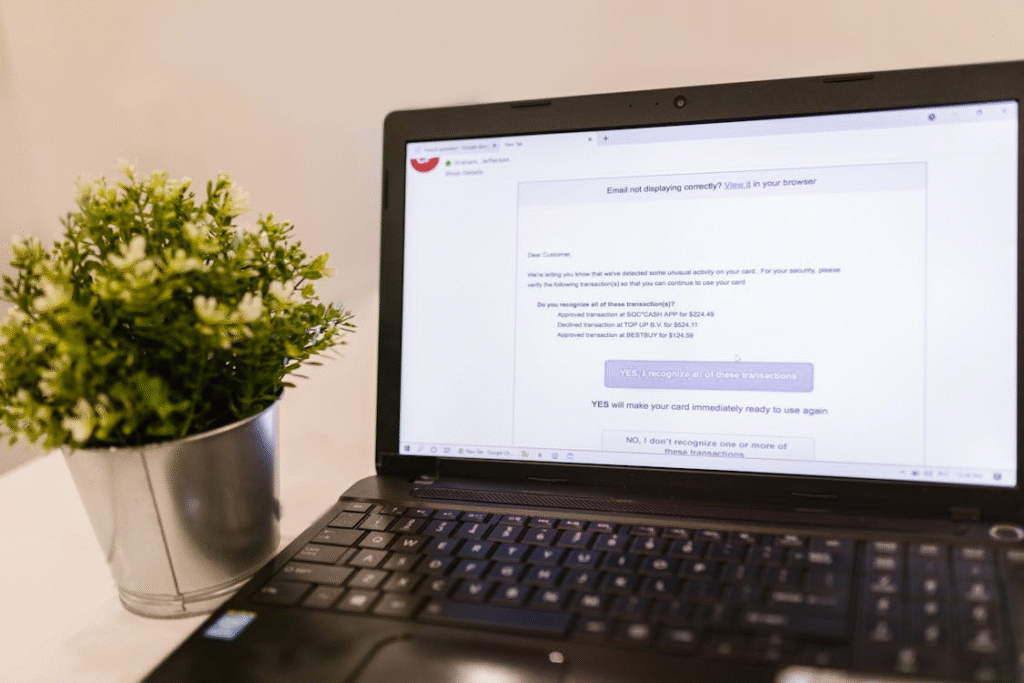
What makes a professional email different from a regular one?
Even though every email does the same basic job—sending and receiving messages—there are clear differences between personal and professional addresses:
- Custom domain: instead of “@gmail.com” or “@hotmail.com,” you can use “@yourdomain.com.”
- Credibility: clients and partners perceive your communication as more serious and trustworthy.
- Organization: professional accounts often let you set up folders or accounts for different parts of your business.
- Integration: many professional email services include extras like calendars, cloud storage, and productivity tools.
The best part? You can access many of these benefits for free.
Free options to create a professional email
When people think of something “professional,” they often assume it comes with a cost. But that’s not necessarily true for email. There are free and accessible alternatives that can instantly make your communications look more polished. Let’s explore the main ones:
Gmail + Custom Alias
Gmail is one of the world’s most popular services. While the free version doesn’t let you directly use a custom domain, you can work around this by creating an alias or forwarding messages from another domain to Gmail.
That way, you can register a domain (some providers even offer free domains for a limited time) and manage those emails inside Gmail’s interface. You get the look of professionalism with Gmail’s ease of use.
Outlook (Microsoft)
Outlook.com is another solid free option. It provides a modern interface and integration with Microsoft tools like Word, Excel, and OneDrive. Like Gmail, it allows domain customization if you eventually move to a paid plan, but the free version already makes a strong impression.
Zoho Mail
If you’re searching for a truly free service with custom domain support, Zoho Mail is one of the best picks. Its free plan is perfect for small teams or individual users, allowing you to create addresses with your own domain at no cost.
For example, you can have yourname@yourdomain.com for free. Plus, Zoho is business-focused, offering a clean, ad-free interface that enhances your professional look.
Proton Mail
For those who value security and privacy, Proton Mail is a smart choice. It provides end-to-end encryption and has a free plan with limited but sufficient features for individual professional use.
While custom domains are only available on paid plans, simply using Proton already signals that you care about digital safety—a plus in today’s online world.
Yandex Mail
Less known in some regions, Yandex Mail is quite popular in Russia and parts of Europe. It lets you configure custom domains for free and offers generous storage space.
It’s an interesting option for those who want to step outside the mainstream providers while still maintaining professionalism.
How to choose the best service for you
Your choice depends on your main goal:
- For convenience: Gmail or Outlook.
- For a free custom domain: Zoho Mail or Yandex Mail.
- For privacy-first: Proton Mail.
The great thing is that you can try more than one before deciding—since they’re free, there’s no risk.
Tips for creating an email that looks truly professional
Having the right tool is one thing, but the way you set up your address also matters. Here are some best practices:
- Avoid nicknames: no “cuteboy1997” or “sunshine_girl22.” Use your full name or professional abbreviation.
- Think long-term: create an email that works in both personal and professional contexts.
- For businesses: include your brand, e.g., “contact@companyname.com.”
- For freelancers: combine your name with your field, e.g., “ana.design@gmail.com.”
- Keep it simple: shorter, easier-to-remember addresses are always better.
These details might seem small, but they make a big difference.
How to register a free domain for your email
Some platforms offer free domains for a limited time. Providers like Freenom or certain hosting services give out basic domains for free in the first year.
With this, you can set up a professional email without paying a cent. For example, you could register myservice.online and connect it to a free email provider.
Setting up an email with your own domain
The process may sound technical, but it’s straightforward:
- Register the domain (free or paid).
- Point the DNS records of your domain to your chosen email service.
- Create your email accounts inside the provider’s dashboard.
- Configure it on your phone or computer to send and receive emails.
Most providers offer step-by-step guides, so you’ll be ready in minutes.
How to use a professional email to stand out
Having the email is just the beginning. How you use it truly sets you apart:
- Custom signature: include your name, role, phone number, and relevant links.
- Auto-replies: set up “out of office” or welcome messages.
- Folders and filters: organize your inbox for productivity.
- Integration: connect your email with calendars, meeting apps, and project tools.
This way, your email becomes more than a contact point—it becomes a professional hub.
Common mistakes when creating a professional email
Avoid these pitfalls that many people fall into:
- Choosing addresses that are too long or hard to type.
- Mixing personal and professional emails.
- Skipping proofreading before sending important messages.
- Neglecting to set up a proper signature.
A poorly managed email can hurt your image instead of helping it.
The impact of a professional email on your online image
Many professionals notice that once they switch to a professional email, they start getting more replies, closing more deals, and being taken more seriously in interviews. That’s because in the digital world, every detail counts.
A well-crafted address shows that you care about every part of your communication, which directly reflects on how people perceive your work.
Conclusion: professionalism within everyone’s reach
Creating a free professional email is easier and more accessible than you might think. You don’t need to invest heavily in hosting or advanced tools to look serious and credible.
With services like Zoho Mail, Yandex Mail, Gmail, Outlook, and Proton Mail, anyone can take the first step toward building a stronger digital identity.
The key is picking the service that best suits your needs and applying best practices when setting up and managing your account.
At the end of the day, it’s not just about an email address—it’s about how you’re perceived in the online world. And the best part? This power is literally at your fingertips, completely free of charge.